


NDI PTZ CAMERA INTEGRATION
NDI PTZ Camera Integration Guide for IP Workflows
August 25, 2026
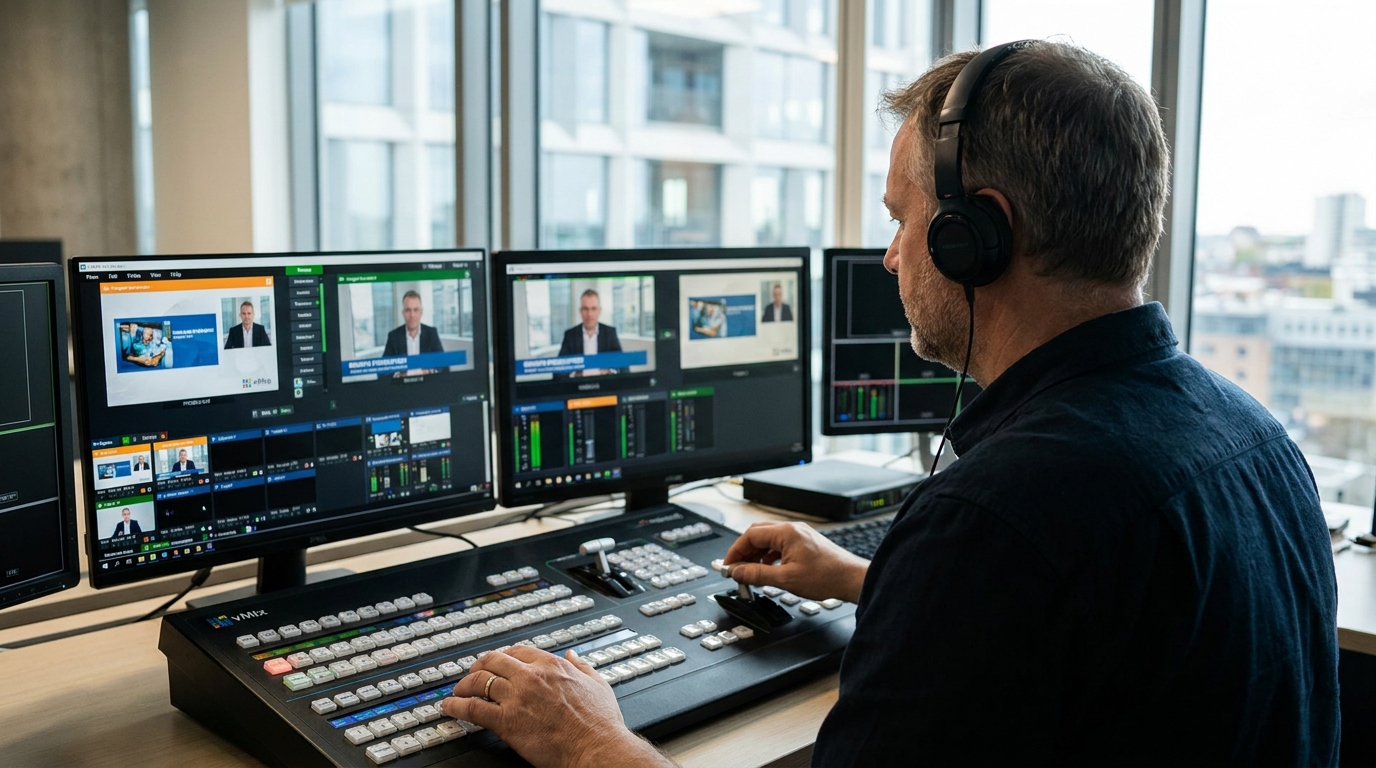
Understanding NDI PTZ Camera Integration in IP Workflows
NDI PTZ camera integration enables high-definition and 4K video streams, pan-tilt-zoom control, tally signals, and power transmission over a single standard Gigabit Ethernet cable within an IP PTZ camera workflow. By leveraging Network Device Interface (NDI) protocols, professional production environments connect cameras such as the Everet EVPRO1 4K60 NDI PTZ Camera with 12x Zoom and Auto Tracking directly into software switchers like vMix or hardware production systems without dedicated video capture cards. This network-based architecture replaces traditional point-to-point SDI and HDMI cabling with scalable local area network routing.
Implementing an IP camera setup using NDI or NDI|HX compression reduces physical wiring requirements while providing bi-directional communication between the camera hardware and production control systems. Video frames, audio channels, tally state flags, and VISCA control commands travel concurrently across the IP network. This bidirectional functionality allows operators to adjust camera settings, trigger pan-tilt-zoom motion, and receive real-time tally indications through software interfaces or hardware IP PTZ controllers connected to the same network segment.
In a corporate hybrid meeting room or studio space, managing multiple camera feeds traditionally requires extensive SDI matrix switchers and separate RS-422 control cabling to each pan-tilt-zoom unit. Deploying an NDI PTZ camera workflow resolves this infrastructure bottleneck by running video, control commands, tally data, and Power over Ethernet (PoE) across a single Cat6 network connection. When an operator controls an Everet EVPRO1 4K60 NDI PTZ Camera with 12x Zoom and Auto Tracking from a central workstation, command inputs translate immediately into motorized pan and tilt adjustments, while auto tracking maintains subject framing without requiring a dedicated camera operator.
Key features
- NDI Connectivity — Transmits video, audio, tally signals, and control commands over a single standard Ethernet cable.
- 4K60 Video Resolution — Delivers 4K video output at 60 frames per second for smooth motion capture during live production.
- 12x Optical Zoom — Preserves optical detail across narrow and wide angles without digital interpolation.
- Built-in Auto Tracking — Follows subject movement automatically across designated presentation areas without manual pan-tilt intervention.
- VISCA over IP Control — Facilitates standard network-based PTZ commands from hardware control surfaces and software switchers.
- Power over Ethernet (PoE) Support — Draws operating power directly from PoE-compliant network switch ports, eliminating local AC adapters.
- vMix System Compatibility — Integrates into vMix live switcher setups for source discovery, PTZ movement, preset execution, and tally feedback.
- Multi-Output Streaming — Enables simultaneous IP network streaming along with traditional video connections where supported.
Network Infrastructure and Power over Ethernet Setup
A reliable local area network forms the backbone of any IP PTZ camera workflow. Deploying NDI streams requires gigabit network switches with sufficient switching capacity and backplane bandwidth to handle concurrent high-bitrate video traffic. Standard NDI feeds stream uncompressed or lightly compressed video requiring higher bandwidth, while NDI|HX streams compress video using H.264 or H.265 codecs, substantially reducing network payload while maintaining operational quality. Network switch selection must account for peak bitrates per camera input to prevent packet loss and frame drops.
Configuring Quality of Service (QoS) on managed network switches prioritizes video and control packets over general network traffic. Assigning static IP addresses or fixed DHCP reservations to each PTZ camera prevents address changes during production resets and simplifies system administration. Additionally, utilizing Power over Ethernet (PoE or PoE+) standards delivers DC operating power over standard Cat5e, Cat6, or Cat6A copper cabling. Integrators must verify that the network switch power budget accommodates the maximum wattage draw of all connected PoE PTZ cameras under active pan, tilt, and zoom motor operation.
vMix NDI PTZ Integration and Live Switcher Setup
Configuring a vMix NDI PTZ integration requires connecting both the production computer and the NDI PTZ cameras to the same network subnet. Within the vMix software interface, selecting the NDI/Desktop Capture input option initiates an mDNS discovery process that lists available NDI video sources on the network. Adding the camera feed creates an active video input that supports frame rates up to 4K60 depending on the camera hardware specifications and network capability.
Once the video input is added, setting up the NDI PTZ live switcher setup involves enabling PTZ control within the input settings window. Selecting the appropriate control protocol, such as NDI or VISCA over IP, establishes direct movement communication. Operators can map pan, tilt, zoom, focus, and preset memory recall functions directly to software controls, MIDI controllers, or USB joysticks. Integrated tally management automatically updates the camera tally indicator when the input transitions between Preview and Program buses in vMix.
Control Protocols and IP PTZ Camera Workflow Optimization
Optimizing an IP PTZ camera workflow involves balancing control responsiveness, video latency, and optical framing precision. Standard control protocols like VISCA over IP and NDI control allow precise adjustment of pan speed, tilt speed, manual focus, white balance, and exposure settings. Executing preset recalls triggers stored mechanical positions with defined acceleration and deceleration curves, providing predictable framing transitions during live multi-camera broadcasts.
Hardware features such as automated tracking enhance operational efficiency in environments with limited production personnel. The Everet EVPRO1 4K60 NDI PTZ Camera with 12x Zoom and Auto Tracking utilizes onboard image processing algorithms to identify and follow moving subjects across its field of view. Combining optical 12x zoom optics with 4K60 image capture provides accurate visual tracking and detailed framing without introducing artifacting associated with digital crop mechanisms.
For integrators and resellers
When designing and installing NDI PTZ camera infrastructures, integrators must evaluate network switch backplane throughput, PoE power allocation, and cable runs. Utilizing Cat6 or Cat6A shielded twisted pair cabling ensures reliable transmission of Gigabit Ethernet data and PoE power across distances up to 100 meters per segment. For installations exceeding network distance limits, Ethernet extenders or optical fiber conversion switches are required.
System designs incorporating software live switchers such as vMix should isolate production video traffic using Virtual Local Area Networks (VLANs). Isolating NDI streams onto dedicated VLANs prevents network congestion caused by corporate office traffic and ensures consistent low-latency delivery. Resellers specifying hardware models like the Everet EVPRO1 4K60 NDI PTZ Camera with 12x Zoom and Auto Tracking should verify network switch compliance with IEEE 802.3af/at PoE standards and ensure full compatibility with NDI discovery protocols across the customer network layout.
Practical Conclusion
NDI PTZ camera integration simplifies professional video production infrastructure by unifying video transmission, device control, tally signals, and power delivery over standard IP network hardware. Proper network provisioning, managed switch configuration, and switcher setup in platforms like vMix ensure predictable multi-camera operation across corporate, educational, broadcast, and worship settings.

Frequently asked questions
What network cables are required for NDI PTZ camera integration?
NDI PTZ camera integration requires Cat5e, Cat6, or Cat6A network cabling connected to a Gigabit Ethernet network switch. Using Cat6 or Cat6A cabling is recommended to ensure optimal signal integrity and support Power over Ethernet (PoE) transmission over distances up to 100 meters.
How does vMix detect an NDI PTZ camera on the network?
vMix detects NDI PTZ cameras using mDNS network discovery when the production PC and the cameras reside on the same network subnet. Selecting the NDI input option in vMix populates a list of available network video sources for immediate connection.
Can an NDI PTZ camera receive power and send video over a single cable?
Yes, an NDI PTZ camera supporting Power over Ethernet (PoE or PoE+) receives operating power, sends video streams, receives PTZ control commands, and displays tally signals over a single Ethernet cable connected to a PoE-enabled network switch.